
How do I get silent and low-battery sensors by email?
- Click the bell in the top bar. It opens the Problems Overview for your organisation.
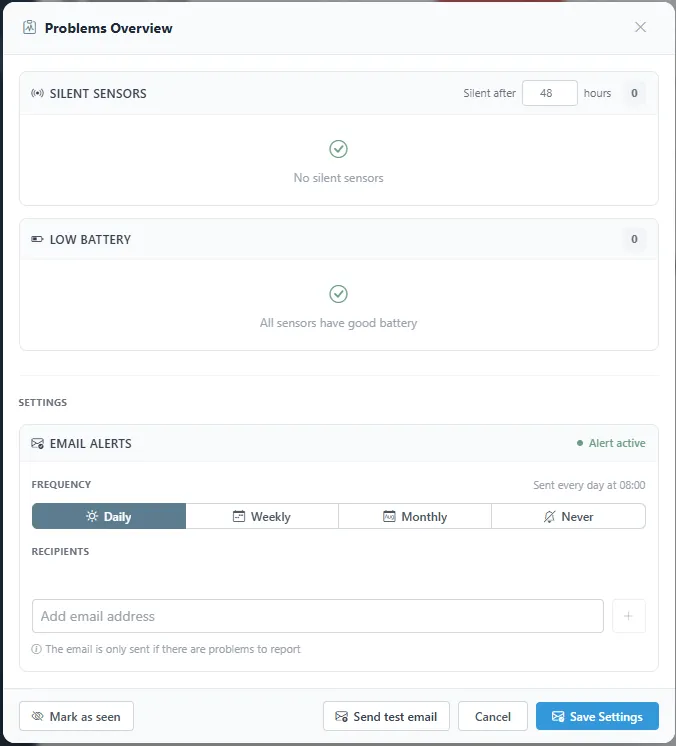
- The overview lists silent sensors, with the number of hours without contact that counts as silent, and sensors with low battery.
- Under Email alerts, choose Daily, Weekly, Monthly, or Never, add the recipients, and click Save Settings. The email is only sent when there is a problem to report. Send test email shows what it looks like.
Was this helpful?
Thanks for your feedback.

