
How do I test, pause, edit, or delete a notification?
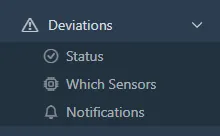
- Open Deviations > Notifications.
- Each row is one rule for one sensor. The badge next to the limit is the sensitivity, the readings in a row required before the alert. The controls at the end of the row do the rest:

- Test
- Send a message to the recipients now.
- Copy
- Use this rule as a template for a new one.
- Edit
- Change the limit, sensitivity, or recipients.
- Delete
- Remove the rule.
- Switch
- Pause the notification without deleting it; switch it back on later.


Was this helpful?
Thanks for your feedback.

