
How do I set up a building for energy optimisation?
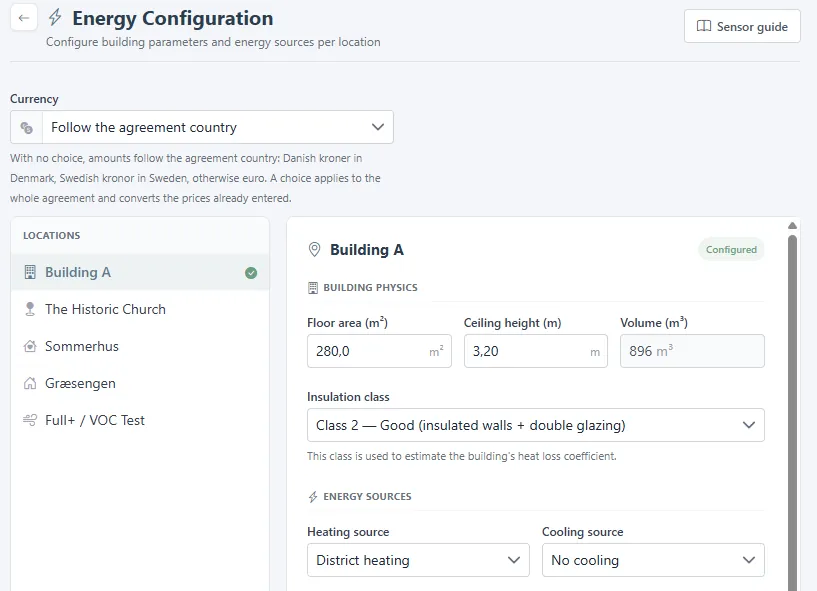
- Open Administration at the bottom of the side menu, then Indoor climate > Energy configuration. You can also reach it with Configure on the Energy Optimization page.

- Choose the currency, or let it follow the agreement country.
- Pick a location on the left and fill in the building physics: floor area, ceiling height, and insulation class. The volume is calculated.
- Set the heating source, the cooling source, and the heating price. An empty price uses a national average.
- Adjust the comfort zone for the heating and the cooling season if your building differs from EN 16798-1 category II. A location shows Configured when it is done.
Sensor guide explains the standards behind the calculation.
Related
Was this helpful?
Thanks for your feedback.

