
How do I rename a sensor, move it to another room, or add a location?
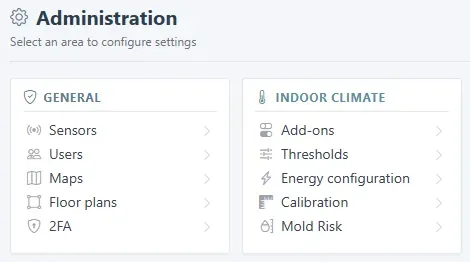
- Open Administration at the bottom of the side menu. Sensors, maps, and floor plans are under General; thresholds, energy, and mould settings are under Indoor climate.
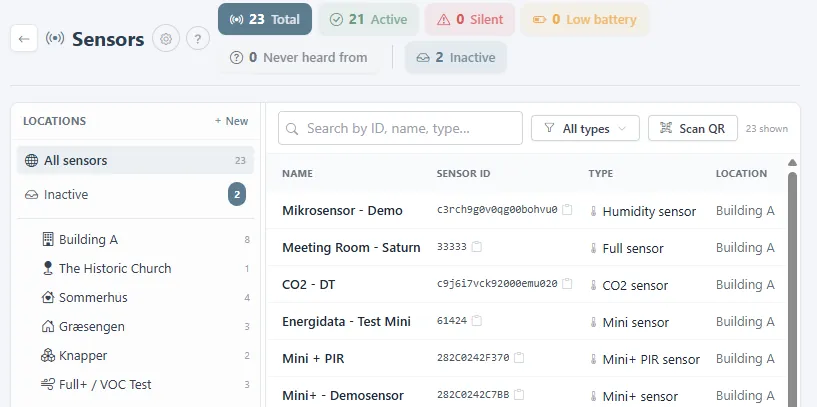
- Open Sensors. The counters at the top show how many sensors are active, silent, low on battery, or inactive. Locations are listed on the left; + New adds one.
- Click a sensor row to change its name or its location. Readings before the move stay with the old location. Scan QR adds a new sensor from the code on the device.
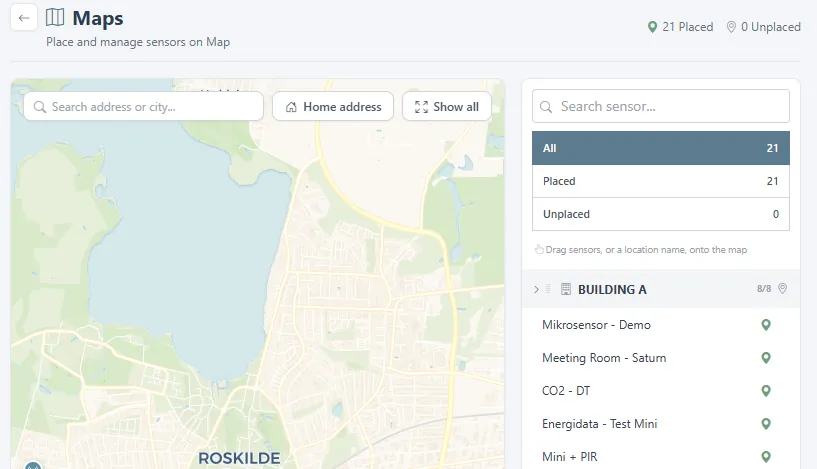
- Under Maps, drag a sensor or a location name onto the map to place it. Home address centres the map on your address, and the globe switches to satellite view.
Was this helpful?
Thanks for your feedback.

