
How do I put sensors on a floor plan?
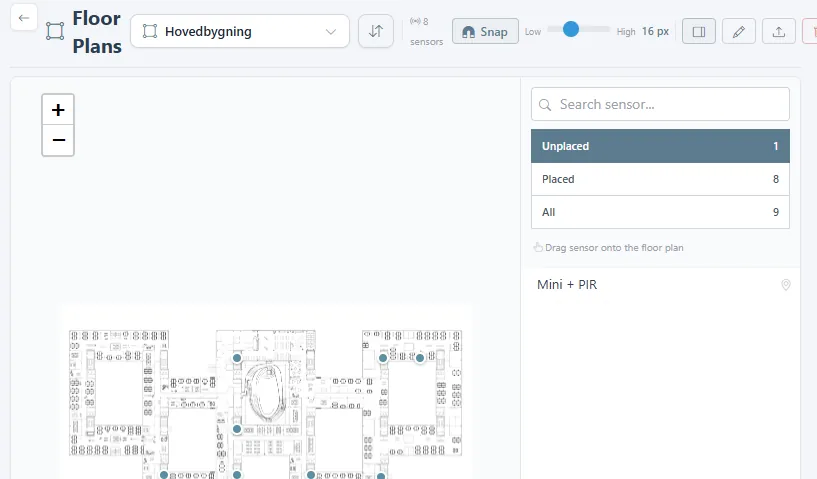
- Open Administration at the bottom of the side menu, then General > Floor plans.

- Choose the location in the dropdown and use the upload icon to add a plan as an image (PNG or JPG).
- Drag a sensor from the Unplaced list onto the plan. Snap lines sensors up with the ones already placed. The pencil renames the plan, and the bin removes it.
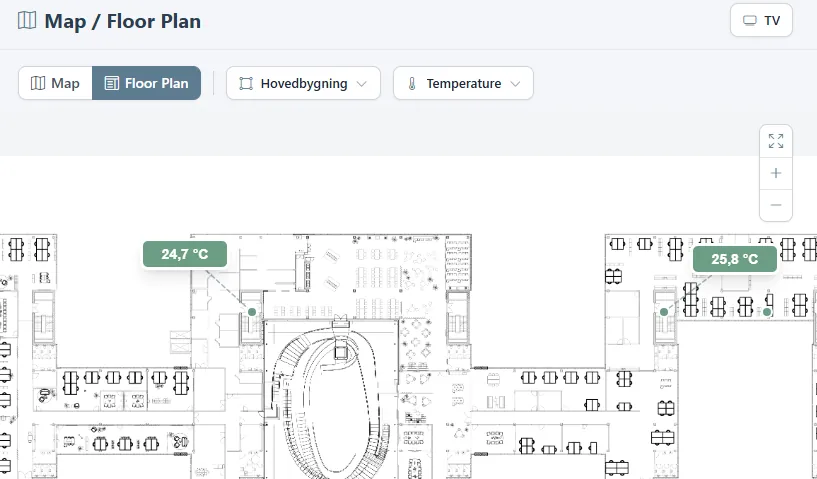
- Open Map / Floor Plan and switch to Floor Plan to see the live readings on the plan. Choose the plan and the parameter at the top. TV opens it for a wall screen in the same way as a dashboard.
Was this helpful?
Thanks for your feedback.

