
How do I change the material class for mould risk?
- Open Administration at the bottom of the side menu, then Indoor climate > Mold Risk.

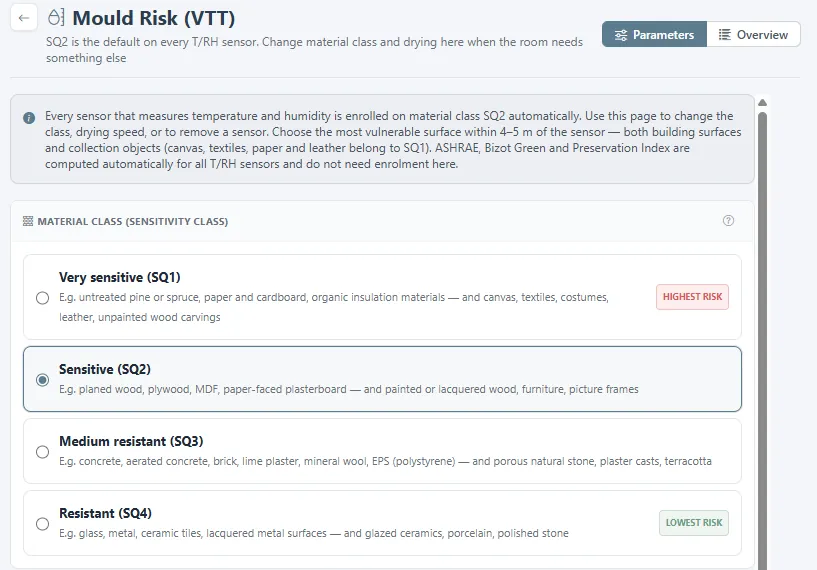
- Every sensor that measures temperature and humidity is enrolled on SQ2 automatically. Choose the class that matches the most vulnerable surface within 4–5 metres of the sensor: SQ1 very sensitive (untreated softwood, paper, textiles, leather), SQ2 sensitive (planed wood, plywood, MDF, plasterboard, painted wood), SQ3 medium resistant (concrete, brick, plaster, mineral wool), or SQ4 resistant (glass, metal, tiles, glazed ceramics).
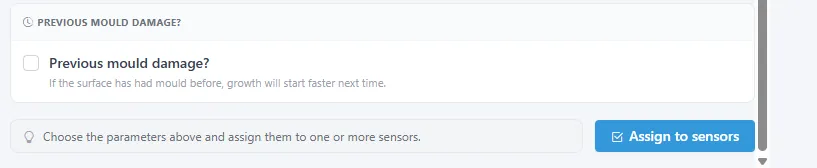
- Drying speed controls how fast the index falls when the room dries out again. Keep Standard unless the structure is massive. Tick Previous mould damage if the surface has had mould before.
- Click Assign to sensors and choose the sensors these settings apply to. Overview at the top shows the class each sensor follows now, and lets you remove a sensor from the analysis.
Related
Was this helpful?
Thanks for your feedback.

